The product
The writing studio, end to end
Author Sweets takes a book from the first idea to the finished file. Plan it, draft it, revise it, share it with readers and export it for stores and print, all in one calm place that runs in your browser.
No card needed for the free plan, which keeps one book for as long as you like.
Idea
Start from a shape, not a blank page
Tell Author Sweets what kind of book you are making and it lays the book out for you. Every chapter can be renamed, moved or deleted, so the shape is a starting point and never a cage.
- Choose one of nine kinds of project, from a novel to an illustrated children’s book, and the new book opens with a structure to match.
- Six story structures arrive as chapters, each with a scene that says what it is for: three acts, fifteen beats, the hero’s journey, romance beats, nonfiction and memoir.
- Not ready for an account? Plan the book on the website first, or open a writing prompt in the editor, and it is offered to you the moment you sign up.
- Three acts
- Fifteen beats
- The hero’s journey
- Romance beats
- Nonfiction
- Memoir
Or a blank book, which is the default.
Plan
See the whole book before you write it
The plan lives in the same book as the draft, so the outline, the cast and the research are one click from the page you are writing.
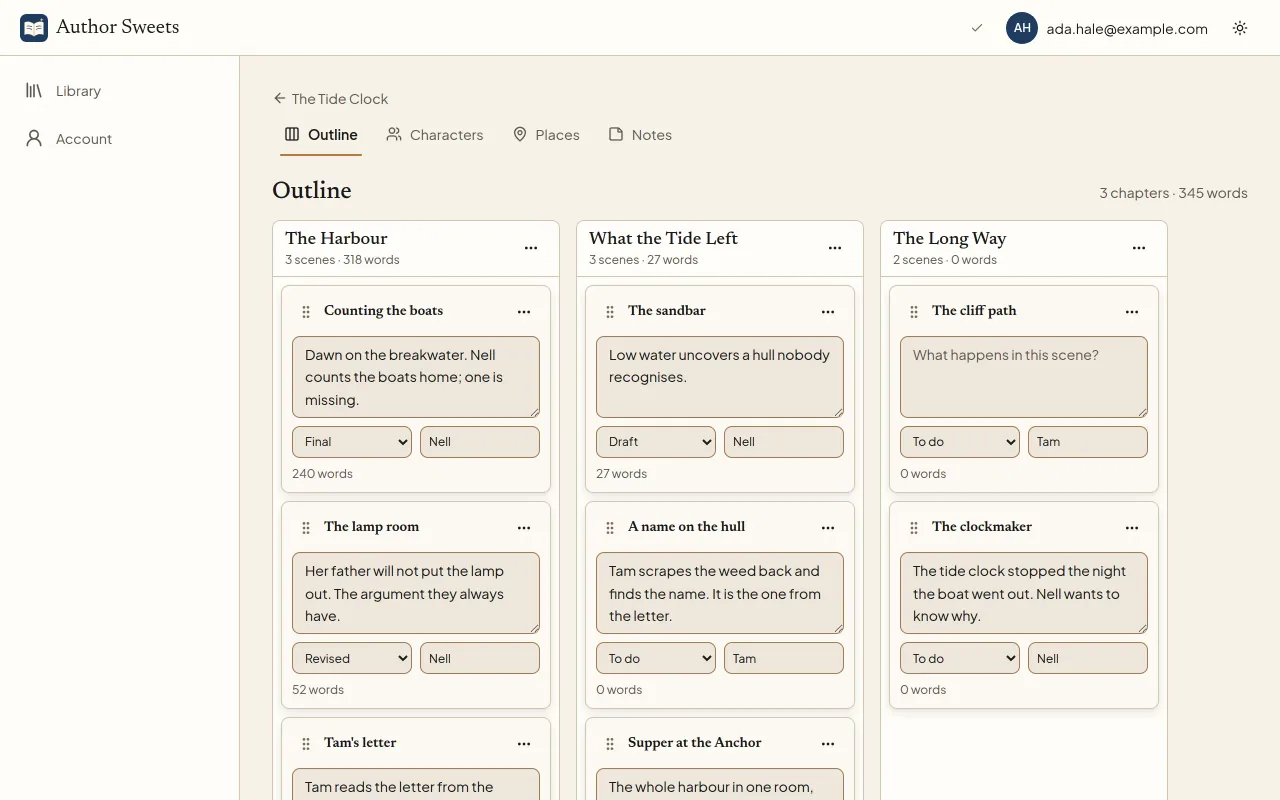
- An outline board of chapters and scene cards you drag into order, with chapters and scenes added right on the board.
- A plot grid that lays the scenes out by point of view, character, place or status, so you can see where a thread goes quiet. A Timeline tab puts the same scenes in the order they happen in the story.
- Characters and places with their facts and the other names the text uses for them, and notes that keep their sources and a citation to copy. A World tab keeps the rest: items, factions, lore and more.
Draft
A manuscript that keeps up with you
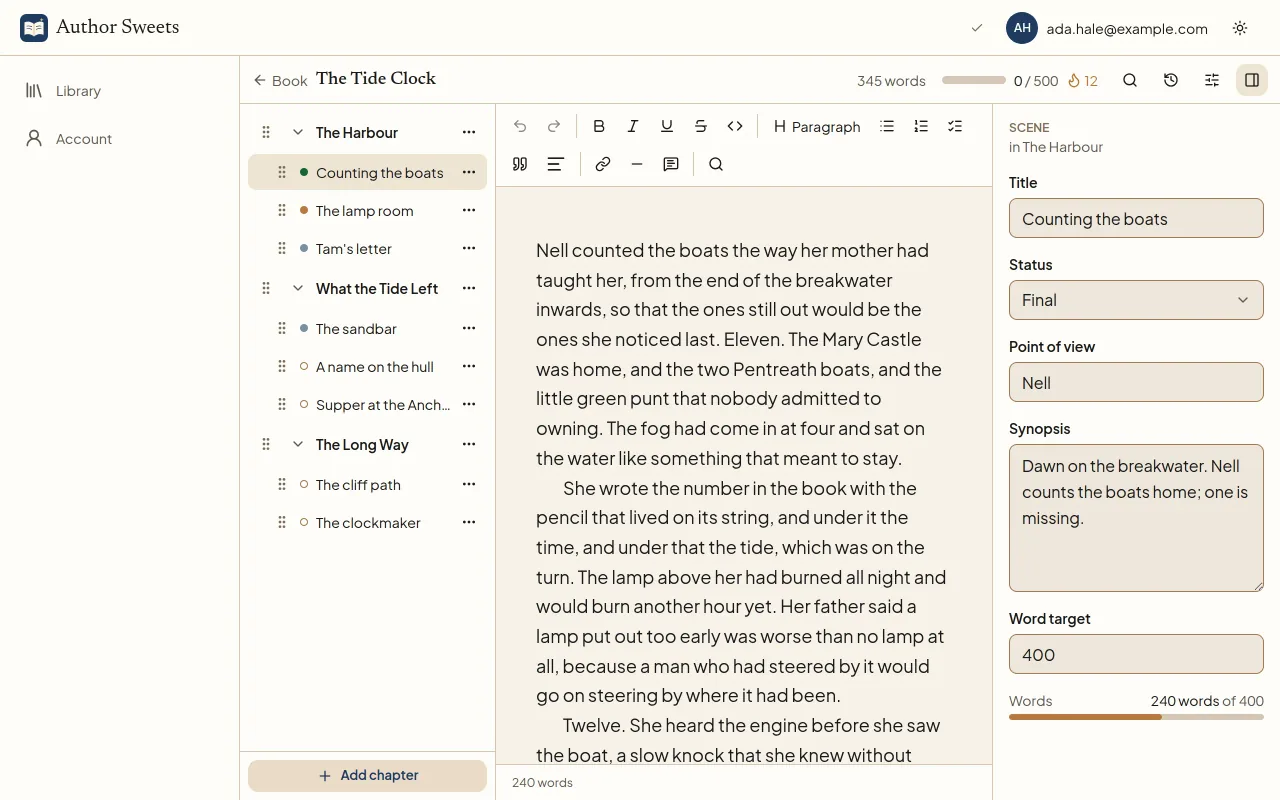
Parts, chapters and scenes in one quiet editor. Your words save as you type and keep saving when the connection drops, so the only thing to think about is the next sentence.
- Focus mode and typewriter scrolling for the long sittings, and a sprint timer in the header for the short ones.
- A daily goal, a word target and a finish date for each book, and the words a day that keep it on time.
- A style check and read aloud that run on your device and send nothing anywhere. Dictate into a scene with your browser’s own speech recognition.
Revise
Every draft, kept
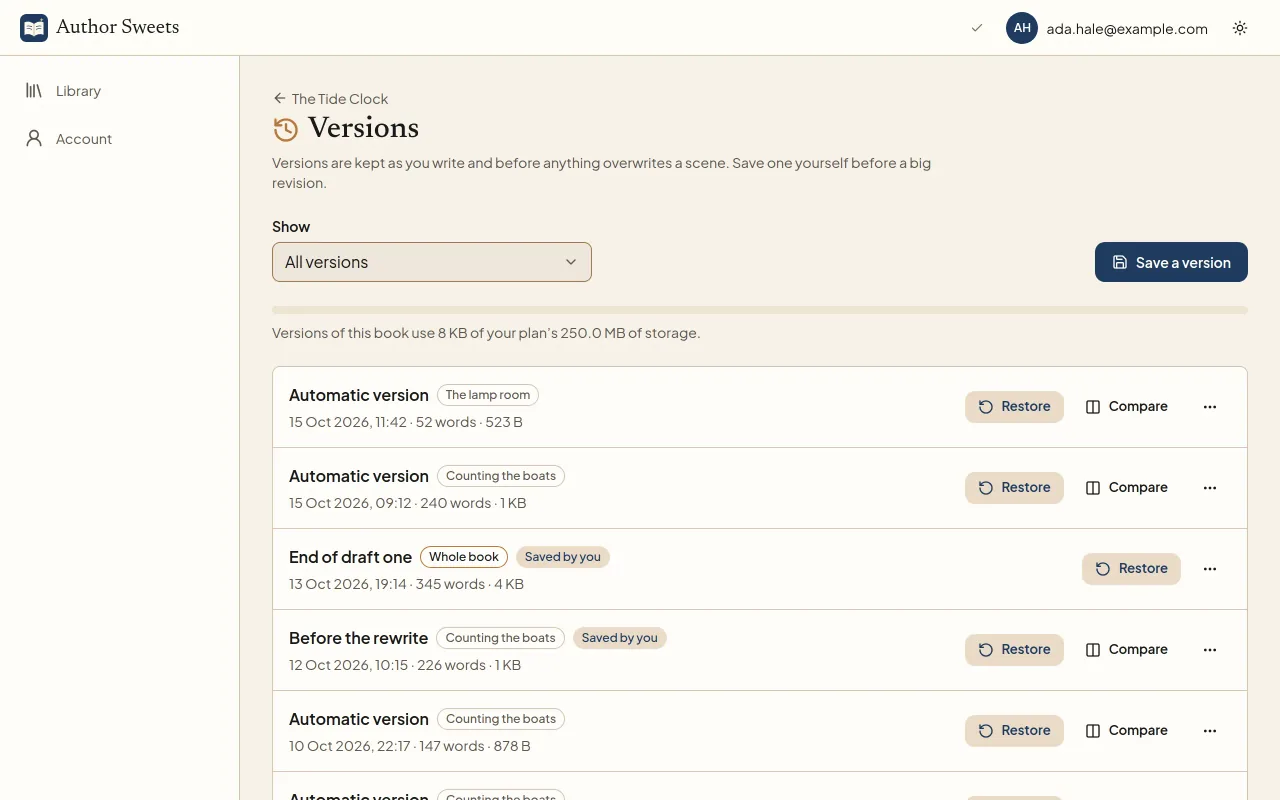
Revising is braver when nothing is ever really lost. Author Sweets keeps versions as you write, so you can try the bold cut and still go back.
- Automatic versions as you write, on every plan, and a word-by-word compare of any two.
- Save a version yourself before a big change, and restore any version, with Scribe and above.
- Find and replace across the whole book, and highlights and notes on a passage that stay out of every export.
Publish
Files ready for stores, print and agents
Fill in the title page, copyright page, dedication and back matter once, and every export carries them. Publish tells you what the book still needs before it leaves.
- Word, EPUB and PDF (Artisan and above), with a Word file in standard manuscript format for agents and contests.
- A print PDF made for KDP and IngramSpark: the trim size on every page, embedded fonts and an inside margin that widens with the page count.
- Markdown, plain text and a web page on every plan, made on your device, and each one can come back in as a book.
- Word (.docx)For editors and tracked changesArtisan and above
- Word manuscriptStandard manuscript formatArtisan and above
- EPUBFor e-book stores and e-readersArtisan and above
- PDFFor print services and proofreadingArtisan and above
- Rich Text and OpenDocumentFor other word processorsArtisan and above
- MarkdownOne file, or a folder per chapterEvery plan
- Plain textA title block and the chaptersEvery plan
- Web pageOne page that opens anywhereEvery plan
Nine kinds of project
Whatever you are making, it starts laid out
A brand-new library opens on a choice of project, and the choice stays a click away under your books. Each kind sets up the book’s chapters with a structure that suits it, and fills in the genre where the kind of book makes it obvious.
- NovelLong-form fiction, written in chapters and scenes.
- Nonfiction bookTeaching or research-led writing, built around clear sections.
- MemoirA personal story that weaves memory, reflection and time.
- Essay collectionSeparate pieces that share a theme, a voice or a question.
- Ghostwriting projectA book written for a client, from the brief to the final draft.
- Workbook, planner or journalGuided pages with prompts, exercises or space to reflect.
- Activity or puzzle bookPuzzles, games and activities, with their answers.
- Illustrated children’s bookA read-aloud story told in pictures and words, page by page.
- Publishing package or seriesSeveral titles planned and released together.
Moving in
Bring the book you already started
Import a Word document, an OpenDocument or Rich Text file, a web page, a Scrivener project, an EPUB, Markdown or plain text, a zipped folder of notes, or a Fountain or Final Draft script. The file is read on your device and nothing is saved until you check the preview. Import comes with Scribe and above.
Wherever you write
One studio on every device
Install it from the browser
On a phone, a tablet or a desktop, it opens in its own window like any other app.
Keep writing offline
Books you have opened keep working with no connection and sync when it returns.
Jump anywhere with Ctrl+K
Go straight to a scene, chapter, character, place, note or screen by typing its name.
Start your book today
One book is free for as long as you need, with no card. Upgrade when there is a second one, or when it is time to send the first one out.
Want the full list first? See every feature or compare the plans.